

Cinematic Christmas portrait
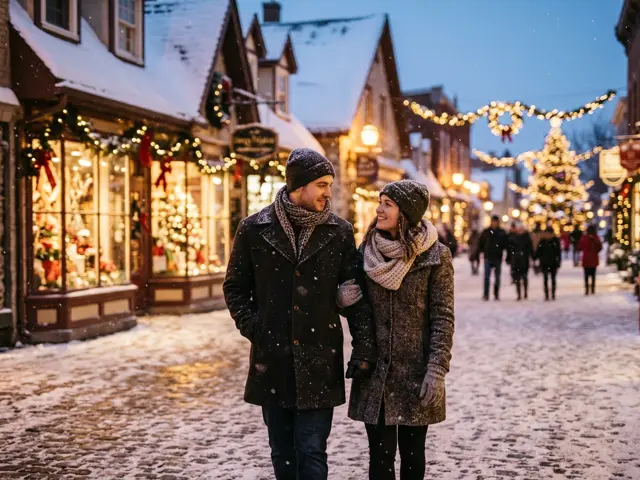
Wool coats, a snowy city street at night and warm Christmas lights blurred behind you, shot like a frame from a winter film. The quiet one among the Christmas photo templates.
A film-look portrait on a snowy street at night, with warm Christmas lights behind you. Made for a profile picture or a phone wallpaper.
Takes 1 to 4 photos of adults, pets welcome
Opens the AI Christmas photo generator with this template. Adults and pets only.
Or write your own prompt (advanced)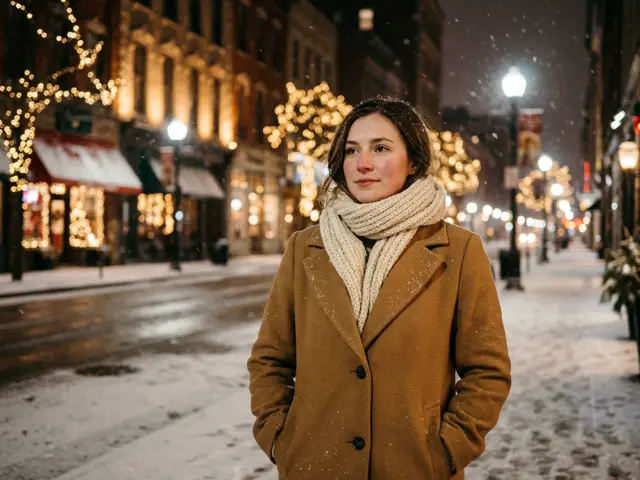 Sample
What makes it cinematic
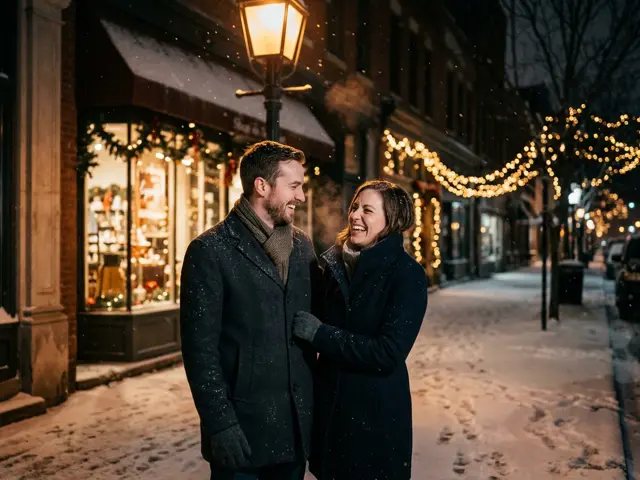
The portrait is styled like 35mm film: shallow depth of field, soft falling snow and golden Christmas lights turned into round bokeh behind you. You wear an elegant wool coat and a scarf. The colours are moody and romantic rather than bright red and green.
It is the template to pick when the other Christmas looks feel too loud, or when you want one picture that still looks right on a work profile.
Where to use a cinematic portrait
Because it is calm and grown-up, this portrait works in places a candy cane picture would not.
Profile picture
Pick 4:5 or 1:1 for Instagram, LinkedIn or WhatsApp for the season.
Phone wallpaper
Pick 9:16 and the lights fill the screen behind your lock-screen clock.
Couple photo
Two photos give a winter-date picture of the two of you under a street lamp.
Photo tips for a film look
A recent photo in soft daylight works best. Avoid heavy filters or beauty modes on the original. The template adds its own grade, and a filtered face can come out looking less like you.
Cinematic portrait or Santa hat avatar?
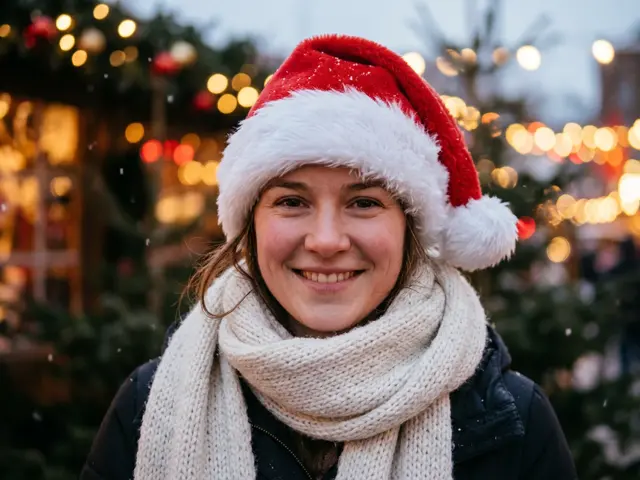
Both make a good Christmas profile picture. The Santa hat avatar is playful and clearly festive. The cinematic portrait is subtle: it says winter and Christmas without a costume, so it can stay up longer than December.
How to make the cinematic Christmas portrait
Three steps, about a minute. Nothing is charged until every photo has passed the safety check.
1. Press “Make the same”
The AI Christmas photo generator opens with the Cinematic winter portrait template already selected.
2. Upload your photo
One to four photos, one adult or pet per photo. Photos of children are refused before anything is charged.
3. Pick a shape and download
1:1 or 4:5 for a post or profile picture, 9:16 for a story, 16:9 for a banner. Failed renders are refunded automatically.
More AI Christmas photo templates
Every template works the same way: pick it, upload your photo, download the picture. See all AI Christmas photo ideas
Cinematic Christmas portrait FAQ
Will it look like a real photo?
It is made to look like a still from a film: real-looking faces, soft focus and grain. It is still an AI picture.
Can I use it after Christmas?
Yes. With no hats or sweaters, it works as a winter profile picture well into January.
Can I make it black and white?
Not with this template. For a look none of the templates covers, use the custom prompt and describe it yourself.
How many people can be in it?
One to four adults, from one photo each. Pets are welcome too.
Which shape should I choose?
4:5 or 1:1 for a profile picture or a post, 9:16 for a phone wallpaper or a story, 16:9 for a desktop wallpaper.
Does it work at night-time only?
Yes. The look is a snowy street at night; the snowy village template is the dusk version with more of the village.