Custom Santa video message
Write a custom Santa video message, and Santa reads it with your child’s name.
Make your Santa video
Pick a message, a selfie with Santa or Santa with your pet, then render. You see the price before you start.
1 · What should Santa do?
2 · Who is it for?
First names only, up to 3. 3 free previews left today.
3 · What should Santa say?
Edit freely. Up to 115 characters at this length; Santa never threatens or says “no presents”. (0/115)
4 · Where is Santa?
5 · Length and quality
You only pay for what renders. If a step fails, it is refunded automatically. See plans
Names are deleted after 30 days. Santa videos are never shown publicly. No photos of children, ever.
 Made with AI Greeting Video
What a custom Santa video message is
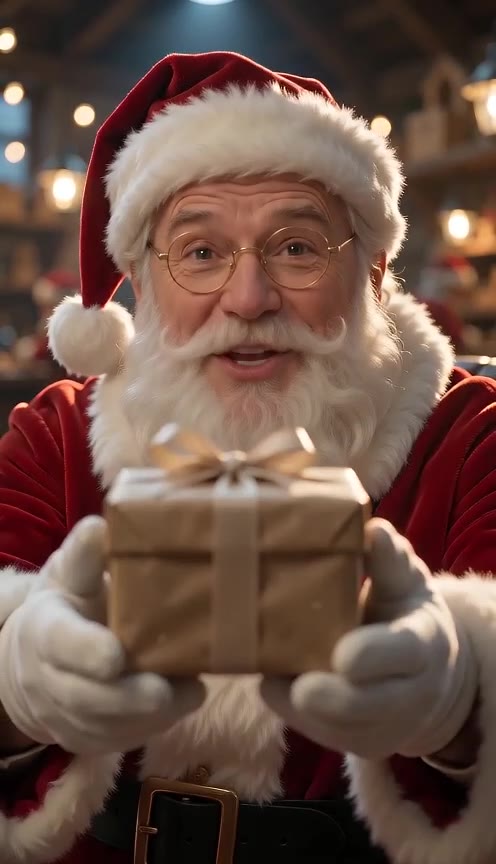
A custom Santa video message is a short video of Santa Claus saying your child’s name and the words you wrote. Here you type up to 3 first names and a message of up to 115 characters for 10 seconds or 170 for 15. Santa’s voice is generated from that exact text first, then the video is filmed around the voice, so the name you heard in the free preview is the name in the video.
Any first name, spelled your way
Santa reads the name from your text, not from a list of a few hundred recorded names. If it sounds off, add a “sounds like” spelling (Shih-vawn for Siobhan) and listen again before you pay.
Your words, not a fixed script
Edit every preset line or write your own. Mention the new puppy, the lost tooth or the school play: one detail only Santa would know does more than a long speech.
Up to three children in one video
Add brothers, sisters or cousins and Santa greets them together: “Emma, Leo and Mia”.
Custom Santa video vs scripted Santa apps
Most video from Santa services work one of two ways. Scripted apps film one long scene and drop in a name from their recorded list, plus a few answers you tick. Human-made services have a person record your words, which takes days. This page sits between them: a short clip in your own words, made in minutes, with a name the voice can say whether or not it is on anyone’s list.
When a scripted app is the better pick
If you want a long, polished scene with elves, a sleigh ride and photos of your child on screen, a scripted app does that well. Our clips are 10 or 15 seconds and never use a child’s photo.
When a custom Santa video fits
When the name is unusual, when you want Santa to mention something specific, or when you need the video tonight rather than next week.
Santa video message ideas
Six presets to start from; each one is a single line you can edit. English messages fit in 115 characters at 10 seconds, so keep it to two or three short sentences.
Nice List
“Ho ho ho! Hello, Emma! I checked my Nice List, and there you are, near the top. Merry Christmas!”
Got your letter
“Ho ho ho! Emma, your letter reached the North Pole! The elves and I loved every word. Merry Christmas!”
Christmas Eve
“Ho ho ho! It's Christmas Eve, Emma! The sleigh is packed. Off to bed now, I'll be there soon!”
Be good, gently
“Hello, Emma. The elves say it's been a tricky week. I know you can be kind and listen. Ho ho ho!” Santa encourages; he never threatens coal or “no presents”, and scripts that do are refused.
Gift is coming
“Ho ho ho! Emma, the elves just wrapped something special with your name on it. See you soon!”
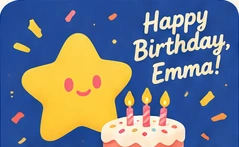
Birthday from Santa
“Ho ho ho! Happy birthday, Emma! The whole North Pole is cheering for you today!” Works in July as well as December.
What a personalized Santa video costs
The name preview is free. A video is paid in credits and you see the total before you start: a 10-second message is 495 credits in Standard 480p or 1,025 in HD 720p, and a 15-second one is 742 or 1,532. One Standard video costs $4.99 and one 15-second HD video $9.99. The Holiday Pass covers 8 HD videos for $24.99 until November 30, then $29.99. The 100 free signup credits don’t cover a Santa video.
Standard first, HD after
Render in Standard to check it, then remake the same message in HD. The HD remake reuses Santa’s voice line, so you only pay for the HD video.
Failed renders are refunded
If the voice or the video step fails, the credits for it go back automatically.
A video from Santa without your child’s photo
We ask for first names only. Last names, schools, addresses, phone numbers and links are refused, and the message mode never takes a photo. Names, scripts and Santa’s voice files are deleted after 30 days, and Santa videos are never shown in any public gallery.
Santa in 8 languages
English, Spanish, Portuguese, French, German, Japanese, Korean and Chinese, with the same voice. Each preset is written for its language.
Selfies and pets
For a clip where Santa hugs you in your own selfie (adults only) or meets your dog, use the AI Santa video page.
Send it with a Christmas card or photo
The same name works on a free Christmas card, and the Christmas photo generator turns adult and pet photos into a family portrait for the card cover.
How to make a custom Santa video message
- 1
Type the name and listen
Up to 3 first names. Press “Hear Santa say it” to check the name for free, 3 times a day.
- 2
Write what Santa says
Start from a preset or pick “My own words”, then choose a scene, 10 or 15 seconds and 9:16 or 16:9.
- 3
Render and download
The video takes about 2–4 minutes. Play it with Santa’s voice and download the MP4. A failed step is refunded.
Custom Santa video message FAQ
Is a custom Santa video message free?
Hearing Santa say the name is free, 3 times a day. The video uses credits: 495 for a 10-second Standard message, which one $4.99 Standard order covers.
How do I get a video from Santa with my child’s name?
Type the first name, press “Hear Santa say it”, write or pick the message and a scene, then press Make. The MP4 is ready in about 2–4 minutes and is saved to your Library.
What if Santa says the name wrong?
Check it with the free preview. Add a “sounds like” spelling, such as Ee-fa for Aoife; Santa reads that while the name stays as you typed it.
How long can the Santa video message be?
10 or 15 seconds. In English that is up to 115 or 170 characters, and if the voice runs longer than the video you are asked to shorten it before anything is charged.
Do you need a photo of my child?
No, and we don’t accept one. The message needs only a first name.
Can Santa read the letter my child wrote?
Pick “Got your letter” and add one or two things from it in your own words. Long letters won’t fit in 15 seconds, so choose the line they will remember.