

AI Christmas village photo
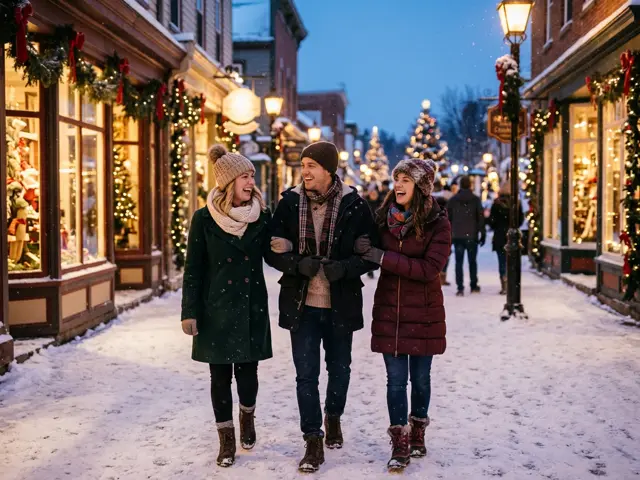
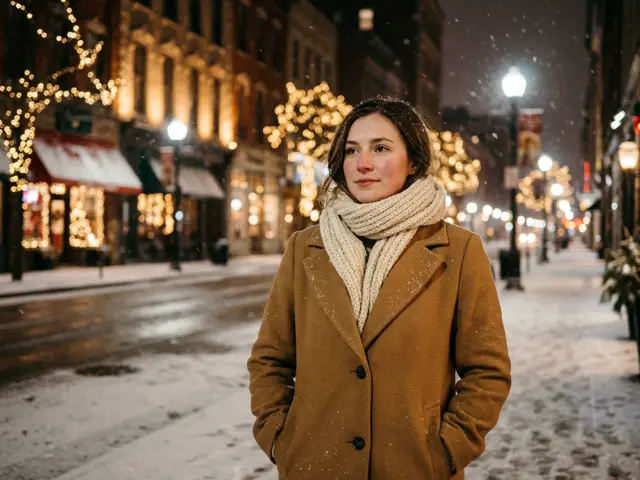
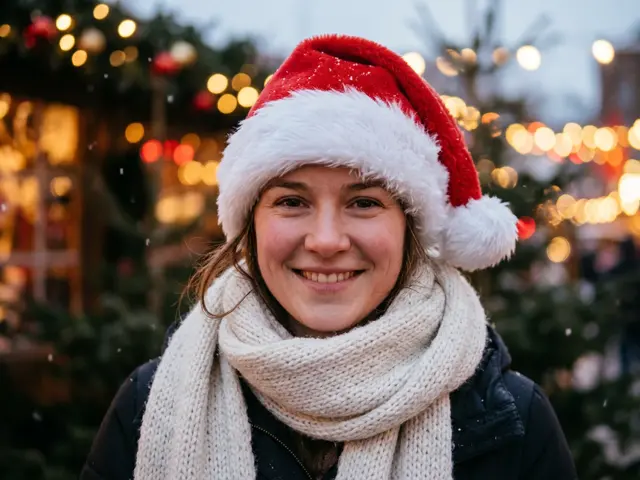
Winter coats and scarves, lit shop windows, garlands and gently falling snow in a Christmas village at dusk. The template for a couple or a few friends on a winter walk.
Winter coats, lit shop windows and falling snow, for couples and friends.
Takes 1 to 4 photos of adults, pets welcome
Opens the AI Christmas photo generator with this template. Adults and pets only.
Or write your own prompt (advanced)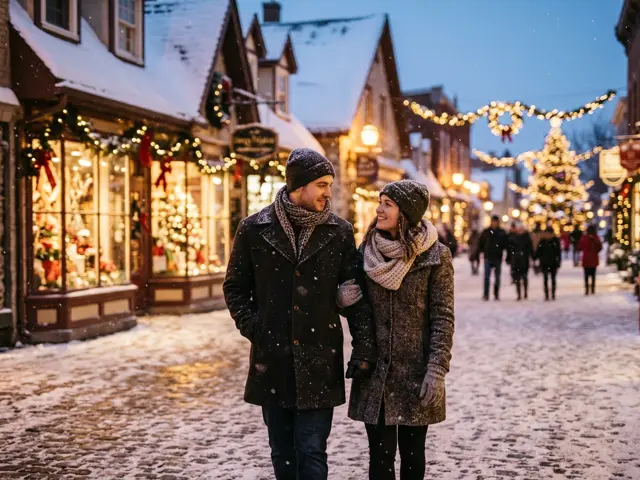 Sample
What the village photo shows
The people from your photos walk through a snowy village at dusk, wrapped in winter coats and scarves. Shop windows glow behind them, garlands hang over the street and snow is falling. It feels like a Christmas market trip you took together.
Village or cinematic portrait?
Both are calm winter looks. The village photo is wider and warmer, with more of the street and the shops, which suits a group. The cinematic portrait is closer and darker, which suits one or two people and a profile picture.
Ideas
The template takes one to four photos of adults, and pets can come along.
Couple’s winter walk
Two photos, and you are strolling arm in arm through the village.
Friends’ trip that never happened
Three or four friends at a Christmas market, for the group chat.
Dog walk
Add your dog’s photo for a snowy walk with the whole household.
What the village photo is good for
The village picture is wide and calm, with room around the people, so it suits places where the whole scene shows.
Christmas card cover
A snowy street on the front of a card, with your message inside.
Desktop wallpaper
Pick 16:9 and the falling snow and lit windows fill the screen.
Couple’s holiday post
Two of you on a winter walk, without travelling to a Christmas market.
Photo tips for a village walk
Use a recent photo of each person, face visible and turned towards the camera. Full-body photos are not needed; the template adds the coats and scarves. Avoid photos where someone is already wearing a hat or hood, which can hide the hair the AI needs.
How to make the Christmas village photo
Three steps, about a minute. Nothing is charged until every photo has passed the safety check.
1. Press “Make the same”
The AI Christmas photo generator opens with the Snowy village template already selected.
2. Upload your photo
One to four photos, one adult or pet per photo. Photos of children are refused before anything is charged.
3. Pick a shape and download
1:1 or 4:5 for a post or profile picture, 9:16 for a story, 16:9 for a banner. Failed renders are refunded automatically.
More AI Christmas photo templates
Every template works the same way: pick it, upload your photo, download the picture. See all AI Christmas photo ideas
Christmas village photo FAQ
Is it day or night in the picture?
Dusk: the sky is fading and the shop windows are lit. For a full night look, try the cinematic portrait.
Will there be shop signs?
No. Templates never add text, logos or brand names, so the windows stay unlabelled.
Is it a real place?
No. The village is made up for each picture, so there are no real shop names or signs in it.
How many people can walk in it?
One to four adults, one photo each, plus pets.
Which shape works best?
16:9 shows the most of the street. 4:5 is better for a post.
Can I add my own details, like ice skating?
Use the custom prompt for that. Describe the scene in your own words and your faces stay recognisable.