

Snow Globe Me — AI Snow Globe from Photo
Put your portrait inside a miniature winter scene. One photo in, one still snow-globe image out.
Pick a template
Snow globe mini-me · You or your pet inside a snow globe
Your photo (1)
Adults and pets only. Photos of children are refused before anything is charged.
Shape
Sign in free to make your photoUses credits from your pass or order · refunded if it fails
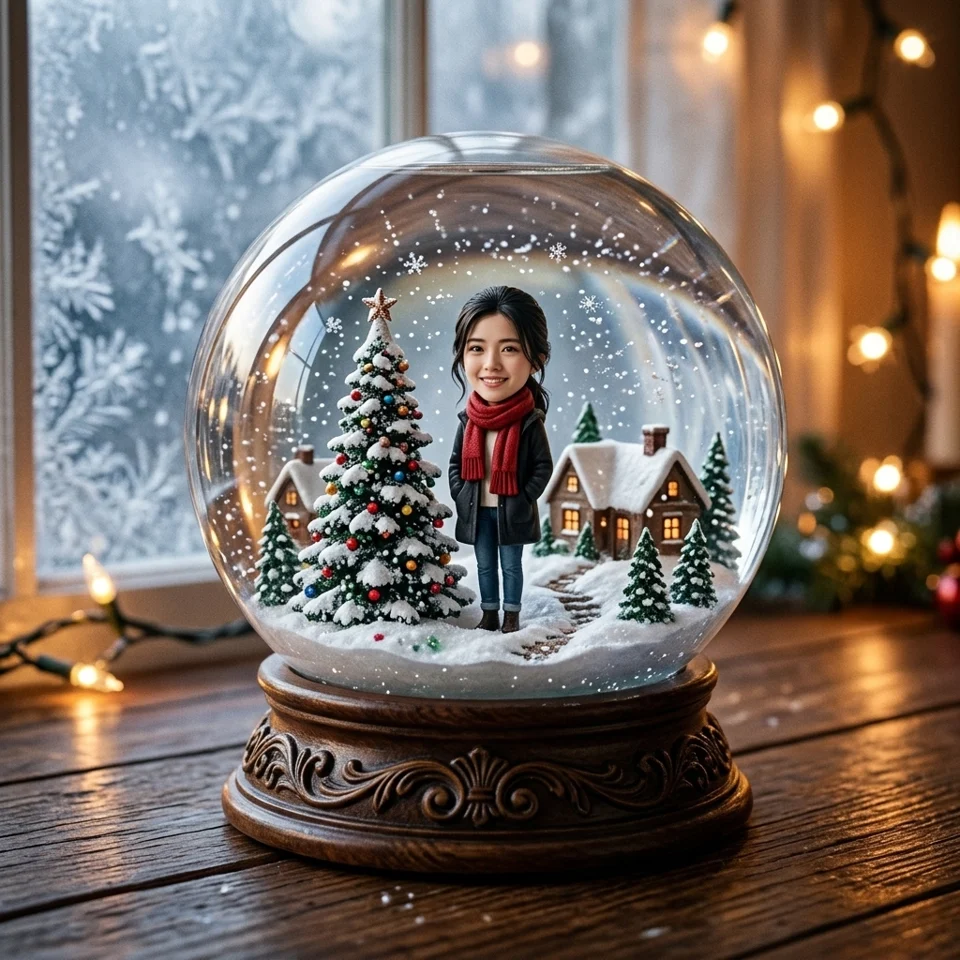 Sample style
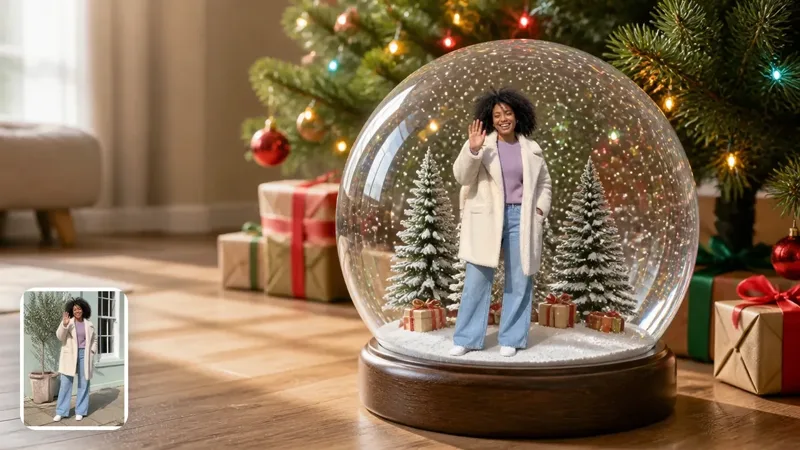
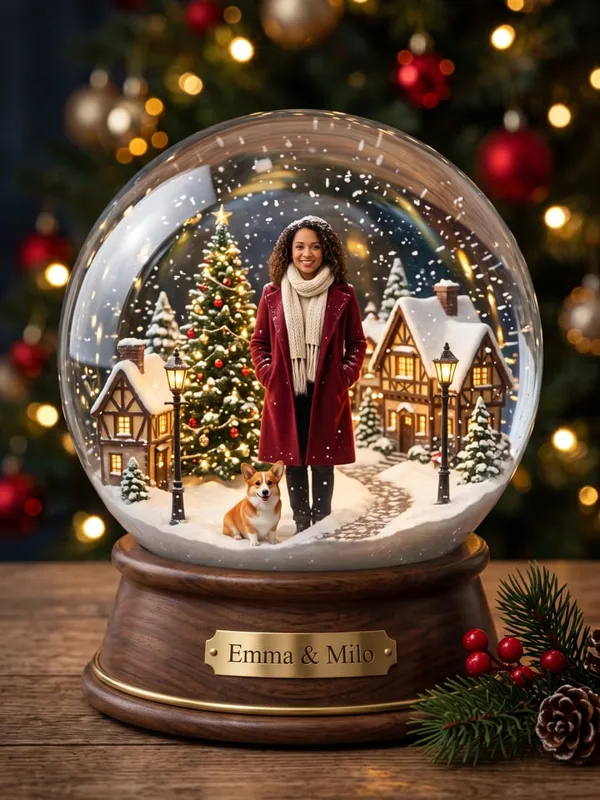
A snow globe photo, not a moving-globe video. Upload one clear adult portrait or pet photo to the preselected snow-globe template.
Sample credits and supported output
Sample 1 was generated on this site. Samples 2 and 3 are credited third-party references, not our renders or guaranteed results. These are still images; carousel rotation is not video motion.
- Sample 2: Example from Oeneo AI — A solo miniature portrait in a glass snow globe — Oeneo AI reference.
- Sample 3: Example from Outwow — Snow globe portrait with a tiny woman and dog — Outwow reference.
What is the Snow Globe Me effect?
Snow Globe Me turns a portrait into a miniature person inside a glass globe. The scene combines a small winter setting, soft holiday lights and snow-like details around a recognizable subject. It is a photo-restyling idea: the glass and scenery are generated around the person rather than photographed in a real ornament. Our first carousel image is a real still output made through the site’s existing snow-globe photo workflow.
Some versions of the trend online animate the globe or make snow swirl. This page does not promise those effects. Snowflakes in a still image are part of its composition; they do not move. The carousel’s automatic image changes are only a way to browse examples. If you need a video, judge a separate video tool on its own output and credit cost, not on a photo shown here.
How to make your Snow Globe Me photo
Start with the snow-globe template already selected in the form above. Upload one sharp image with a clear face, even light and enough of the subject visible to guide the miniature. A plain room or simple outdoor background is fine because the winter scene will replace it. Avoid screenshots with stickers, very small faces, sunglasses and strong beauty filters. A clean reference gives the model more useful identity information than a complicated original background.
Choose the shape for where you intend to share it. Square works well for a profile or feed post; 4:5 gives a portrait more space; 9:16 suits a phone story; 16:9 leaves room for a wide winter scene. Sign in, review the displayed credit cost and generate on this page. When the result appears, compare the face with your original, then download the image. A new run may change the face or setting, so inspect each result rather than assuming every detail will match.
Choosing a snow globe reference
The Oeneo AI reference shows how a small standing figure can stay readable within a larger dome. The Outwow reference explores a more portrait-shaped globe scene with a pet. They are included to explain the range of the trend, not to imply that their tools, prompts or results are part of this service. Follow the linked captions to see the original demos and their own descriptions.
Look at the size of the person relative to the glass, the space above the head and whether the base dominates the frame. For a useful portrait, recognizable features matter more than adding dozens of tiny props. Do not expect the exact village, plaque lettering, pet placement or clothes from a third-party reference. Our preset chooses its own composition and cannot guarantee a frame-for-frame reproduction of another publisher’s sample.
Using your snow globe photo
A still snow globe can be a personal holiday post, a seasonal profile image or the picture you add to a greeting card. Download it first and review the face at full size. Check hands, glasses, reflections in the dome and the boundary where the figure meets the snow. AI can invent small details; reject a result if those details materially change the person you intended to feature.
Keep any birthday or Christmas greeting outside the generated glass scene if exact wording matters. A caption in your social post or a separate card editor is easier to proofread than tiny lettering on a miniature base. This workflow creates a downloadable picture; it does not print an ornament, deliver a card or send a message to the person in the photo. Sharing remains your choice after you have checked the result.
Snow Globe Me FAQ
Can I use a couple photo in this preset?
The snow-globe preset takes one upload. For a two-person holiday picture, use Couple Holiday and its family-portrait preset instead. Check both adult faces in any result; this page does not guarantee group identity consistency.
Is this a photo or a video?
This page generates a still photo. The carousel is a slideshow of separate images, not a demonstration of motion. It does not generate a moving snow globe, a before-and-after transition, music or a spoken greeting.
Are all carousel examples made here?
No. The first image is our own generated sample. Images two and three are third-party style references with the original publisher linked on the image and in the source list below. Their exact scenes are not promised by our generator.
Is generation free?
Generation uses account credits. Sign in and check the credit cost shown on the Generate button before submitting. This photo page does not include free video generation. The existing photo workflow checks uploads before charging, and failed renders are refunded.
Which photos can I upload?
Use clear photos of adults who consent to the edit, or a supported pet photo. Photos of children are refused. Avoid sunglasses, heavy filters, hidden faces and dark images. Do not upload somebody else’s portrait without permission.