

Birthday Glow-Up — AI Portrait Photo
A dressed-up portrait for your birthday post. This version makes a cinematic still photo, not a before-and-after video.
Pick a template
Cinematic winter portrait · Film look, snowy street, warm lights
Your photos (up to 4)
Adults and pets only. Photos of children are refused before anything is charged.
Shape
Sign in free to make your photoUses credits from your pass or order · refunded if it fails
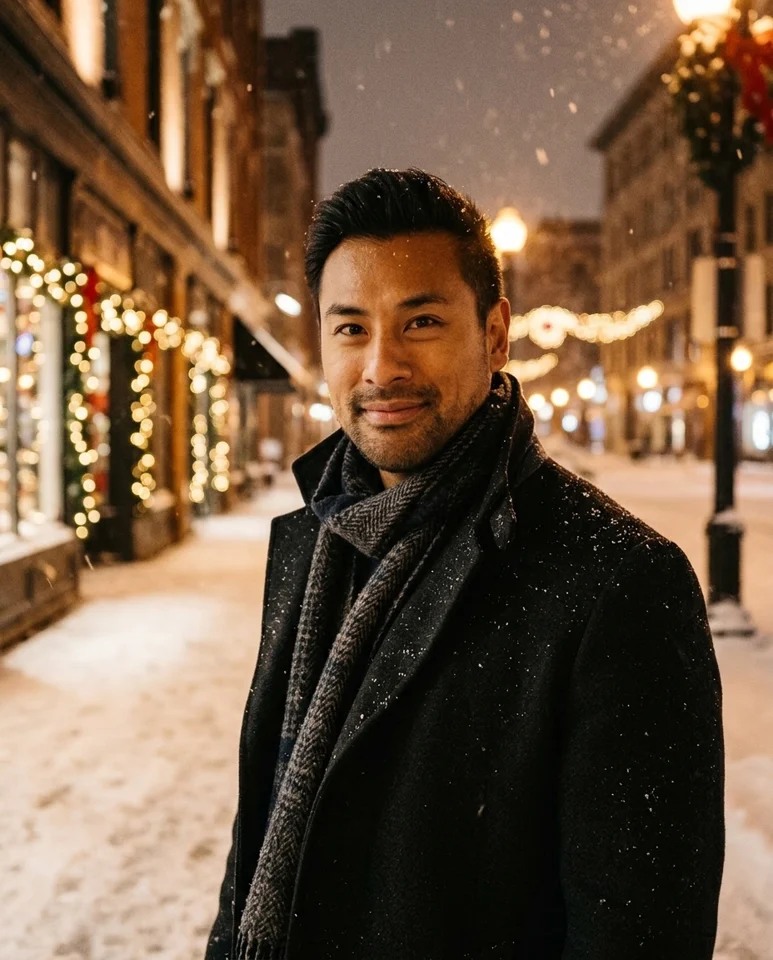 Sample style
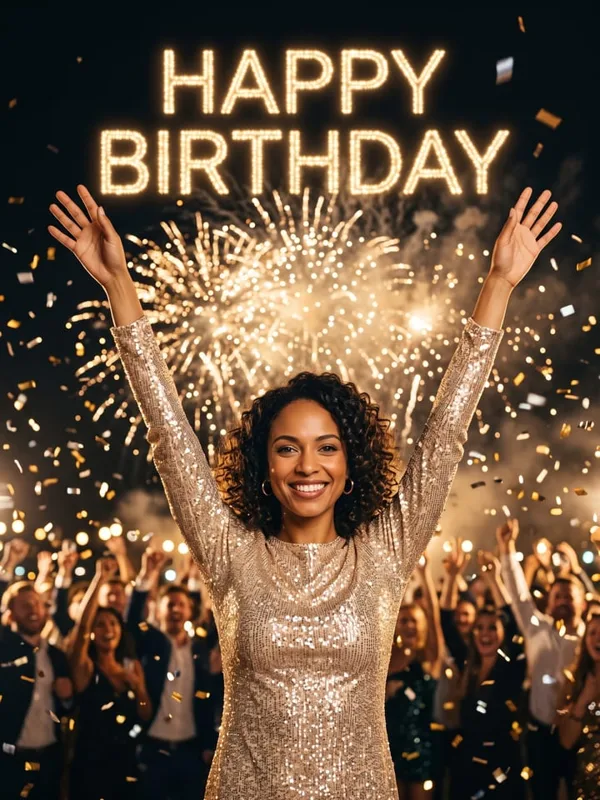
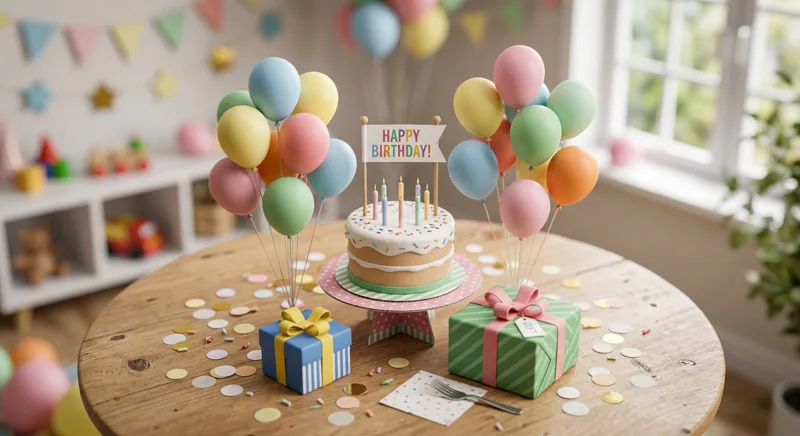
Cinematic winter is the live photo preset. Our own sample demonstrates that look; the birthday party scenes in the references are inspiration, not guaranteed output.
Sample credits and supported output
Sample 1 was generated on this site. Samples 2 and 3 are credited third-party references, not our renders or guaranteed results. These are still images; carousel rotation is not video motion.
- Sample 2: Example from Outwow — Birthday portrait with gold celebration lights — Outwow reference.
- Sample 3: Example from Miraflow — AI birthday photoshoot editorial illustration — Miraflow reference.
What Birthday Glow-Up means on this page
Birthday glow-up can describe a birthday photoshoot, a dressed-up portrait or a short before-and-after reveal. This launch supports the portrait version only. The form uses the existing cinematic photo preset: a winter portrait with polished lighting and a seasonal setting. Our first example shows that actual output. It is not a cake-and-balloons photoshoot and it is not a frame taken from a transformation video.
The two credited web references show broader birthday imagery people use as inspiration. Their party lights, birthday lettering and decorative scenes are not proof that our cinematic preset produces those elements. This distinction matters before spending credits: choose this page if you want the cinematic winter portrait shown in our sample. If your requirement is a specific cake, readable age balloons or an outfit-change transition, the preset here is not a verified match.
How to make a cinematic birthday portrait
Use one clear photo of an adult who has agreed to the edit. A front-facing or gentle three-quarter portrait works better than a distant group shot. Keep the face in focus and evenly lit; remove sunglasses and avoid heavy retouching. The preset uses the uploaded image as its reference, but identity can still drift. Your original expression and hair should be visible enough to compare with the result after generation.
The cinematic template is preselected above. Choose a square or portrait aspect ratio for a birthday post, or a taller frame for a story. Sign in and review the credit price on the Generate button. Uploading a file does not by itself create a video or send a greeting. After the still is ready, inspect it before downloading. Check the eyes, jawline, hands and hairstyle, and do not keep a portrait that no longer looks like the intended person.
Reading birthday glow-up references honestly
The Outwow reference illustrates a celebratory portrait framed by golden lights. The Miraflow illustration comes from an editorial guide to AI birthday photoshoots. These images help explain why birthday portraits are often brighter, more theatrical and more decorated than everyday selfies. Each remains an example from its original publisher, linked in the carousel and the source list. Neither is presented as a render from our service.
A useful reference tells you what you like: the lighting, framing or mood. It does not guarantee identical clothing, body shape, props or facial details from another tool. Our own sample is the relevant evidence for this page’s live cinematic workflow. Compare the references for ideas, then decide whether that supported winter look fits your birthday post. Do not interpret the side-by-side collection as the before and after of one person; they are separate images.
Finishing your birthday post
For a winter birthday, the cinematic setting can be used as a seasonal portrait alongside a personal caption. Add the date, age or birthday message after downloading if exact text is important. A separate caption is easier to correct than generated lettering, and this preset does not provide an age-number field. You are not required to upload a childhood photo or invent a younger version of yourself to use the page.
This page deliberately stops short of video promises. There is no verified outfit-change sequence, candle transformation, synchronized audio or moving before-and-after reveal in these samples. A separate video workflow has separate requirements and pricing. For now, keep the deliverable simple: one adult reference, one cinematic still, a visual likeness check and a download you can choose to share. Your photo is not automatically posted or sent to anyone.
Birthday Glow-Up FAQ
Will it add a cake, balloons or my age?
Not reliably. The live cinematic preset is a winter portrait look, not a dedicated birthday party template. Add exact birthday text after downloading. Third-party party scenes are credited references only.
Do I need before and after photos?
No. This photo workflow uses a portrait reference. It does not create an age progression or stitch two images into a birthday transition video.
Is this a photo or a video?
This page generates a still photo. The carousel is a slideshow of separate images, not a demonstration of motion. It does not generate a moving snow globe, a before-and-after transition, music or a spoken greeting.
Are all carousel examples made here?
No. The first image is our own generated sample. Images two and three are third-party style references with the original publisher linked on the image and in the source list below. Their exact scenes are not promised by our generator.
Is generation free?
Generation uses account credits. Sign in and check the credit cost shown on the Generate button before submitting. This photo page does not include free video generation. The existing photo workflow checks uploads before charging, and failed renders are refunded.
Which photos can I upload?
Use clear photos of adults who consent to the edit, or a supported pet photo. Photos of children are refused. Avoid sunglasses, heavy filters, hidden faces and dark images. Do not upload somebody else’s portrait without permission.