

 Made with AI Greeting Video
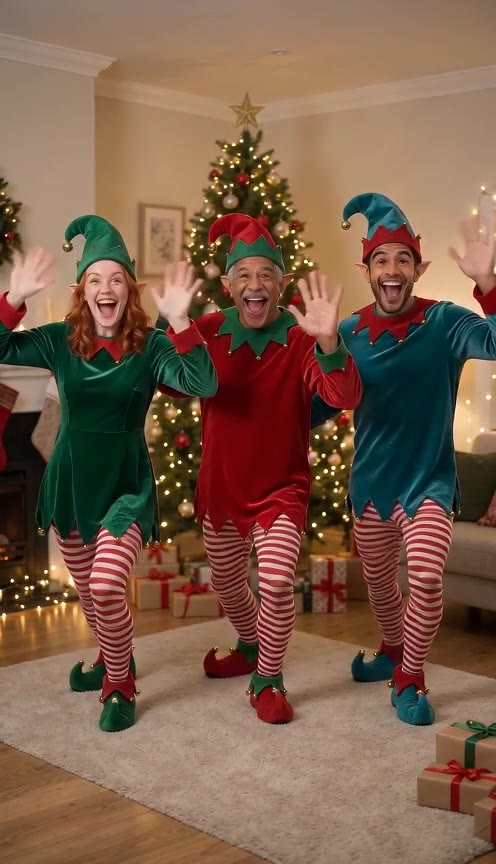
AI Elf Dance Video: a Christmas greeting where your crew dances as elves
Upload a photo of yourself, and up to four more of friends, family or the dog. In about three minutes everyone is in elf costume, dancing in a 10-second vertical clip you can send as this year’s Christmas card. The faces come from your photos; the costumes, steps and music are done for you.
Build your elf dance greeting
50 days leftOne photo is enough. Add more dancers if you like, choose where the elves dance, then render. Every render uses credits; there is no free preview.
1 · Add the dancers (1–5)
2 · Choose the stage
3 · Choose quality, then render
Upload only adults who are happy to be in the card, or your own pets. No children, no celebrities. Not affiliated with JibJab or Elf Yourself; costumes and music are our own. No free preview: each render uses credits, and a failed render is refunded automatically. See plans
Who gets an elf dance this year?
A dancing elf clip lands best when the person watching knows the faces. Some ideas:
The family group chat
Put the siblings, parents and the dog in one clip and drop it in the chat on December 1st. It starts the season and usually gets a few replies of its own.
Grandparents who live far away
They will watch it ten times. Pick the living-room tree so it feels like home, and send it the same day as the paper card.
Your team or office
Five coworkers who agreed to it, the toy workshop stage and a Slack post before the holiday break. Ask first, then post.
Your pet’s fans
The pet stage keeps your dog or cat on four paws in a tiny hat. It is the easiest way to post a Christmas greeting from the pet account.
Elf dance videos we made here
Rendered on this page from AI-generated sample people, not real customers.
- Made with AI Greeting Video
Three elves by the tree
Made with AI Greeting Video · Seedance 2.0 Mini 480p · 10 s
- Made with AI Greeting Video
Rooftop duo under the moon
Made with AI Greeting Video · Seedance 2.0 Mini 480p · 10 s
- Made with AI Greeting Video
Whole-family elf dance
Made with AI Greeting Video · Seedance 2.0 Mini 480p · 10 s
- Made with AI Greeting Video
Pet elf
Made with AI Greeting Video · Seedance 2.0 Mini 480p · 10 s
Tap a clip to hear it. All examples were made by us on this page from AI-generated people and pets. Your clip is made from your own photos. contact@aigreetingvideo.com
How to make an AI elf dance video
About three minutes from photo to finished clip.
- 1
Pick clear photos
One face per photo, looking at the camera, in daylight or a bright room. Sunglasses, hats and heavy filters make the faces drift. Photo 1 becomes the lead elf in the middle.
- 2
Choose a stage
Living-room tree, toy workshop or a moonlit rooftop for a group; Whole family keeps everyone together; Pet elf is made for one animal.
- 3
Render and send
Pick 480p for a quick version or 720p for a sharper one, then render. Download the MP4 or copy the share link when it is ready; it is also saved in your Library.
Price per elf dance
The same price for one dancer or five.
| Quality | Length | Credits |
|---|---|---|
| 480p | 10 s | 480 |
| 720p | 10 s | 1,010 |
Failed renders are refunded. There is no free preview on this page.
Photos that make good elves
- Face to the camera, shoulders in frame
- One person or pet per photo
- Even light, no strong shadows
- A recent photo that looks like them now
Skip these
- Group shots with several faces
- Sunglasses, masks or big hats
- Beauty filters and cartoon effects
- Any photo of a child
Fine-tune your video
Same prompt, full controls: switch the model, length or aspect ratio, attach a reference video, then generate.
Elf dance video questions
How many people can be in one elf dance?
One to five. The first photo is the lead elf; the other four boxes are optional and can be adults or pets.
Can I put my dog or cat in the elf dance?
Yes. Use the Pet elf stage for a solo pet, or add the pet as one of the dancers in a group stage.
Can I use photos of my kids?
No. We only accept photos of adults who agreed to it, or pets. That rule applies on every page of AI Greeting Video.
What does an AI elf dance video cost?
480 credits at 480p or 1,010 at 720p for a 10-second clip, whatever the number of dancers. Signing up is free (no card) and new accounts get 50 credits, valid for 5 days (one grant per email). They cover images and a short test video: the cheapest clip is 20 credits, and Grok Imagine Video 1.5 makes up to 4 seconds at 480p for 50 credits. Chatting with the agent is free. Longer or higher-resolution videos need a plan or a one-time credit pack. The exact cost shows before every render, and failed renders are refunded.
Is this the JibJab Elf Yourself app?
No. It is our own AI Christmas dance video: the costumes, stages and music are generated here, and we are not affiliated with JibJab.
How do I send it as a Christmas card?
Download the MP4 and send it in any chat app, or copy the share link into an email or a text. The vertical format plays full screen on phones.
Can I add my own music?
The clip comes with a cheerful holiday track. To use a different song, swap the audio in your phone’s video editor after you download it.
Why does a face look a little different?
Small faces, side angles and filters make the likeness drift. Try a closer, straight-on photo, or switch to 720p.
More Christmas greetings
Send the elves this Christmas
A photo, a stage, about three minutes. Then it’s in the group chat.