

Make a 2027 New Year Greeting: Message, Scene and Review Checklist
A New Year greeting should wish somebody well without demanding resolutions, success or constant optimism.
 AI Greeting Video Team

Use Make a 2027 New Year Greeting for a clear, manageable greeting rather than an overcomplicated production. This guide explains the page’s role, offers three starting ideas and shows what to review before sharing. Follow the visible controls and current credit terms instead of assuming a sample is a guarantee of your result.
Try the matching page: Make a 2027 New Year Greeting: Message, Scene and Review Checklist · Homepage greeting maker
What this page is for
A New Year greeting should wish somebody well without demanding resolutions, success or constant optimism. For 2027, check the year in the script before you render; the evergreen tool URL does not need a new year-numbered duplicate. The existing New Year mascot workflow is distinct from the fireworks effect page. Choose the scene that is actually offered in the form and do not expect a family-photo montage. A difficult year may call for a quiet wish for rest and connection rather than a triumphant celebration.
Three starting points to adapt
1. Message idea
Happy New Year! Wishing you a gentle start to 2027 and plenty of reasons to smile.
2. Message idea
To our family: here is to more time together, good conversations and little adventures in 2027.
3. Message idea
Wishing you a peaceful new chapter, kind company and room for the things that matter.
Make it with the existing workflow
Open the matching page, follow its input instructions and edit the message or style before rendering. Use only the visible controls and check current credit terms. Review the complete result, then download and share it yourself; automatic delivery is not provided.
Know the format before you generate
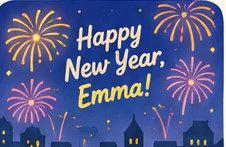
The page uses an existing fictional-host greeting workflow, not a clone of your recipient’s face or voice. The P2 occasion guides use the general wish mascot and do not promise wedding costumes, graduation gowns or Halloween transformations. Pictures labeled as illustrations are not finished personalized video samples. For Santa messages, follow the Santa page’s specific controls and review the voice before sending.
Prefer a readable image? Use the still greeting card maker. Animation is optional.
A practical edit for this greeting
A year number is useful context, not a reason for another near-identical page. Keep a saved draft evergreen unless the number matters to the message, and check it before every render. For family recipients, replace career-focused wishes with time together or good conversations. For a colleague, keep the line professional and avoid guessing at personal resolutions, health goals or plans they have not shared with you.
Privacy and sharing
Use first names rather than addresses, schools or private details. Obtain permission for other people’s photos and public sharing. Review the current privacy policy; do not assume a download removes every stored copy. Send the finished file in an app the recipient already uses, with a readable note if helpful.
Related greeting guides
- AI New Year Video Card for 2027
- New Year Video Card for Family — 2027
- AI Greeting Tools: Choose a Photo, Card or Spoken Message
Editorial review: November 6, 2026. English guide; no unverified translations, popularity counts or new feature claims.