

New Year Video Card for Family — 2027: Message Ideas and Sharing Guide
Three editable messages, illustrated examples and a practical review checklist for a new year video card for family — 2027.
 AI Greeting Video Team

A new year video card for family — 2027 works best when it has one clear thought and sounds like something you would really say. This guide helps you choose the tone, adapt three short examples and decide how to share the result. A still card is a complete greeting too; making a video is optional.
Try the matching page: New Year Video Card for Family — 2027 · Homepage greeting maker
Choose the words and the relationship
Use a collective greeting rather than squeezing every relative’s name into ten seconds. Thank the family for something true: showing up, keeping in touch or making room for each other. When people live in different countries, acknowledge the distance without revealing travel plans or promising a reunion that is not arranged. Families can also be chosen families. Avoid assuming a particular structure, a perfect year or that everybody is in the same room. These scripts offer togetherness, distance and a gentle new beginning.
Three starting points to adapt
1. Message idea
Happy New Year to our family! Thank you for showing up for each other. May 2027 bring more moments together.
2. Message idea
Happy New Year, everyone! Different places, one family. Sending love across the miles as we welcome 2027.
3. Message idea
To all our family, Happy New Year! May 2027 bring rest, good health and space for the things we love.
Make it with the existing workflow
Open the matching page, follow its input instructions and edit the message or style before rendering. Use only the visible controls and check current credit terms. Review the complete result, then download and share it yourself; automatic delivery is not provided.
Know the format before you generate
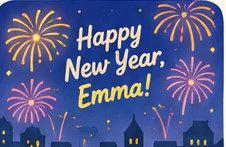
The New Year page uses the existing New Year mascot workflow. It does not assemble a family album or promise the separate fireworks effect. Check any year number in your words before rendering, and treat illustrations as inspiration rather than finished video samples.
Prefer a readable image? Use the still greeting card maker. Animation is optional.
A practical edit for this greeting
Use ‘our family’ only when the sender really belongs to that group, and avoid assuming everybody celebrated the same way. A wish for more conversations is more inclusive than a promise that everyone will travel home. If the greeting goes to a mixed-age chat, choose one clear thought and add a written note. Do not use a family message to announce somebody else’s private news.
Privacy and sharing
Use first names rather than addresses, schools or private details. Obtain permission for other people’s photos and public sharing. Review the current privacy policy; do not assume a download removes every stored copy. Send the finished file in an app the recipient already uses, with a readable note if helpful.
Related greeting guides
- AI New Year Video Card for 2027
- AI Greeting Tools: Choose a Photo, Card or Spoken Message
- Make a 2027 New Year Greeting: Message, Scene and Review Checklist
Editorial review: November 6, 2026. English guide; no unverified translations, popularity counts or new feature claims.