

Hug My Younger Self AI: How to Make the Video From Two Photos
How to make the hug my younger self AI video from two photos: which photos work, four scenes, the prompt behind it, the cost and fixes for a weak likeness.
 AI Greeting Video Team
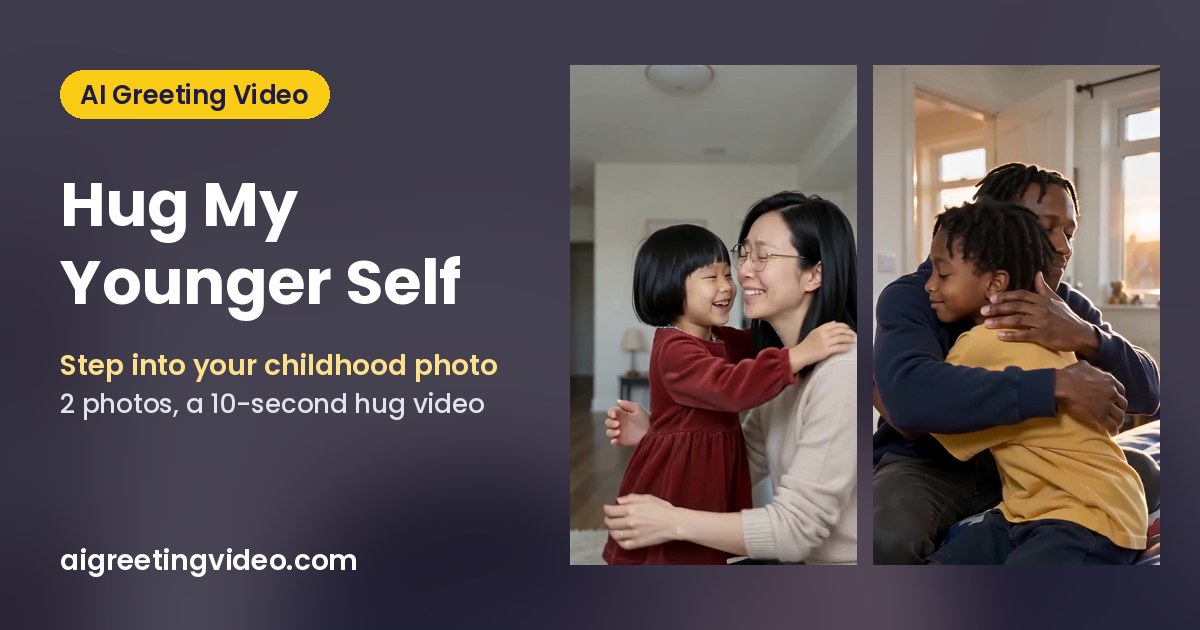
The hug my younger self video is one of the gentlest trends on TikTok and Instagram Reels: an old childhood photo starts to move, the person you are today walks into it, kneels down and hugs the kid you used to be. Until recently you needed video editing skills to fake it. Now an AI video model can do it from two photos. This guide shows how to make a hugging-my-younger-self video with AI, which photos work, the four scenes you can pick, the prompt behind them, what it costs and how to fix a weak likeness.
Make it now: Hug My Younger Self →
What is the hug my younger self trend?
It is a short vertical clip where two versions of the same person meet: you as an adult and you as a child. The classic version follows the same beats every time:
- a faded family snapshot fills the screen, then starts to move,
- today's you walks into the old scene in present-day colour,
- you kneel to the child's height and the child recognises you,
- a long hug, then both faces turn to the camera.
People post it with captions like "told her it all works out" or "I wish I could tell him". It works because it is personal: the childhood photo is real, the hug is the part you could never film.
How to make a hug my younger self video with AI
- Find the childhood photo. Any photo where your face as a kid is clear: an album print, a school picture or an early digital snapshot. Photograph a print flat in daylight, or scan it.
- Pick a recent photo of you. A selfie is fine. Face the camera, good light, no sunglasses. Your hair, glasses and look come from this photo.
- Open Hug My Younger Self and add the photos in order: photo 1 is you today, photo 2 is you as a child.
- Choose where you meet: Old photo comes alive, Childhood bedroom, Park swings or Graduation day. You can add one detail, for example "the child holds a stuffed rabbit".
- Choose 480p or 720p and render. You get a 10-second 9:16 MP4 with soft piano music in your Library, usually within a few minutes.

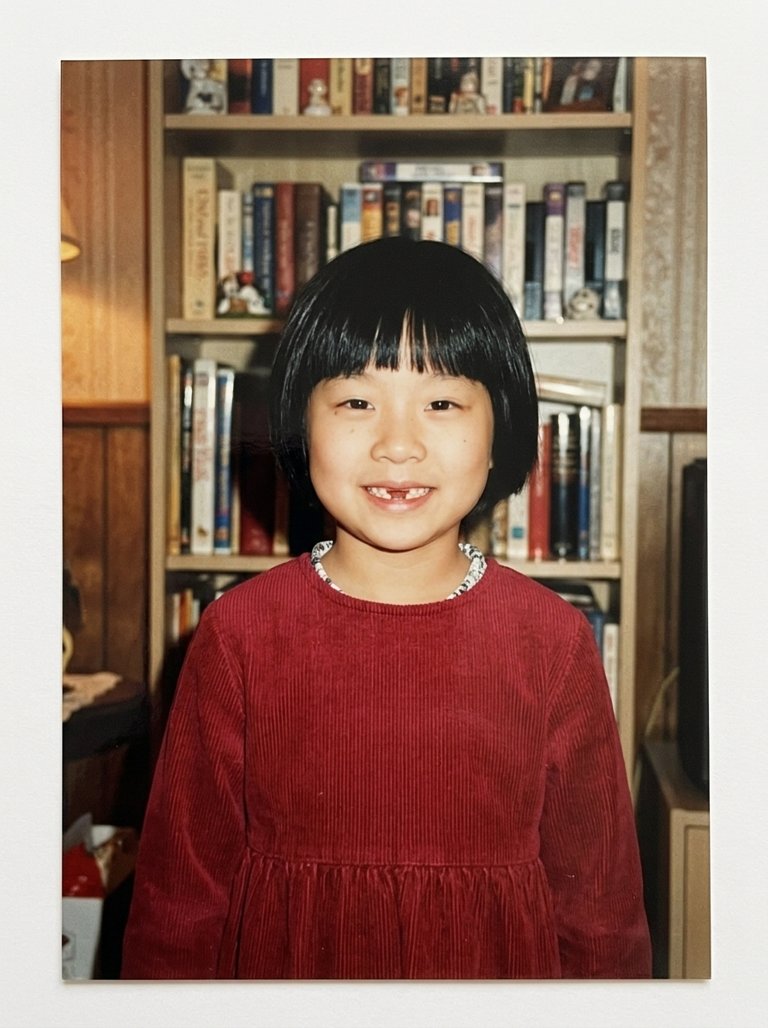
What happens in the 10 seconds (Old photo comes alive)
| Time | What you see |
|---|---|
| 0–2 s | The camera pushes into the faded print until it becomes a real, moving room; the child blinks and smiles |
| 2–5 s | You walk in from the right in today's clothes and sharp colour, and kneel down |
| 5–8 s | The child recognises you and steps into your arms for a long hug |
| 8–10 s | Cheek to cheek toward the camera: the child still in faded film colour, you in the present |
Four hug-my-younger-self scenes
Old photo comes alive. The most shared version: the print turns into a room and you step into it. Best when your childhood photo already has that 1980s or 1990s film look.
Childhood bedroom. Golden-hour light, a patterned quilt, toys on the shelf. You come through the door and sit on the bed beside your younger self. Quiet and personal.
Park swings. Your younger self hops off a swing, runs across the grass and you catch them in a big hug. The happiest of the four.
Graduation day. You in cap and gown with a diploma, and the kid who started it all tugs your sleeve. It ends with your cap on their head, far too big. Made for graduation week.
The prompt behind it
You don't have to write a prompt on the page: every scene is already written. If you want to try your own video model, this is the structure ours follows (shortened):
@image1 is me today, one adult. @image2 is me as a child, the same person at about five to ten years old. Use both photos only as identity references, not as the opening frame. Keep my adult face, hair and glasses true to @image1 and the child's face, haircut and outfit true to @image2. Exactly two people on screen, and the two faces stay distinct: never blend them. Scene: an old printed family snapshot of the child, faded 1990s colours and a white border. 0–2 s push into the print until it becomes a moving room; 2–5 s I walk in from the right in modern colour and kneel; 5–8 s the child steps into my arms for a long hug; 8–10 s we turn our cheeks together toward the camera, both faces clear. Vertical 9:16, photoreal, tender and warm, never sad. Soft piano, no speech, no text.
What makes it work:
- Spend the first lines on the two faces. Say which photo is which, and that they must never blend. Merged faces are the most common failure.
- Keep the child's world in the old colours. The contrast between faded film and present-day colour sells the "stepping into the past" moment.
- End on a two-shot. Both faces clear in the last two seconds gives you a thumbnail and the emotional payoff.
- Use time beats. Four short beats fit 10 seconds far better than a long story.
Photos that work best
| Works well | Weaker results |
|---|---|
| One person per photo, face large in the frame | Group photos where the child is tiny |
| Childhood photo at about age 4–10, eyes visible | Baby photos (faces change too much) |
| Prints photographed flat, no glare | A thumb, frame edge or reflection over the face |
| Recent photo in normal light, looking at the camera | Sunglasses, hats or heavy filters |
Only use your own two photos. The childhood photo must be of the adult in photo 1, not of another child.
What it costs
A 10-second clip costs 480 credits at 480p or 1,010 credits at 720p with Seedance 2.0 Mini. Failed renders are refunded automatically. There is no free preview on this page; new accounts get 100 free credits, which is not enough for a full render, so see pricing for plans and credit packs.
Fixing common problems
- The child does not look like you as a kid: try a sharper childhood photo where the face is bigger, before you change scenes.
- The adult and child faces look alike: use photos taken in different light or settings, and make sure each photo shows only one person.
- The adult looks older or younger than you: use a recent, unfiltered photo; the model copies your age from it.
- You want a different setting: add one short detail ("autumn leaves", "a red bicycle") instead of rewriting the scene.
FAQ
What app do people use for the hug my younger self trend?
The trend spread on TikTok and Instagram with clips made in editing apps and AI video tools. Hug My Younger Self runs in the browser on AI Greeting Video with the Seedance 2.0 Mini model, so you don't need TikTok, CapCut or another app.
Is the hug my younger self AI free?
Signing up is free and new accounts get 100 credits, but one render costs 480 credits at 480p, so you need a plan or credit pack to make the full video.
Can I make one for my mum, dad or partner?
Yes, if they are an adult who agrees and you use their own two photos: one recent and one from their childhood. Never upload photos of other children or of people who did not say yes.
How long is the video?
10 seconds, vertical 9:16, with soft background music. It fits TikTok, Reels, YouTube Shorts and stories without cropping.
Can I hug my younger self as a baby?
It works best with a childhood photo between about 4 and 10 years old. Baby faces change so much that the result rarely reads as you.
Related
- Hug My Younger Self: make yours from two photos.
- 8 hug-my-younger-self gift ideas for birthdays, graduations and Mother's Day.
- AI birthday video and AI wish video for other personal video gifts.
- AI Santa video: Santa can hug you in a selfie, too.
- All trends: more AI video trends to try.
Photos ready? Make your hug-my-younger-self video.